

Compare
Best AI Presentation Maker (2026): SlideAI vs Gamma vs Kimi vs Genspark
Best AI presentation maker 2026: SlideAI vs Gamma vs Kimi vs Genspark. Free tiers, credits, export, and honest limits. Disclosure on SlideAI.
Disclosure: We tested SlideAI the same way as Gamma, Kimi, and Genspark. We list real limitations for SlideAI below. We do not use affiliate links in this comparison.
Short answer: The best ai presentation maker in 2026 depends on whether you finish in PowerPoint, share a web deck, or live inside a research workspace. SlideAI wins cost per outline and optional web research for Office-first editors. Gamma wins default visual design for link sharing. Kimi wins long-context briefs and bilingual drafts. Genspark wins research plus slides in one session for power users. We ran the same QBR brief on all four in June 2026. No tool produced a client-ready deck without human edits.
Last updated: June 2, 2026.
Quick comparison
| Tool | Best for | Free tier signal | Paid entry (verify live) | Export | Main risk | Verdict |
|---|---|---|---|---|---|---|
| SlideAI | PPT-first outlines, cheap credits | Daily free credits | $1.99 / 20 credits | PPT workflow | Design on you | Use (Office teams) |
| Gamma | Visual web decks | 400 signup credits (no refresh on Free) | Plus: 1,000 credits/mo (verify price at gamma.app) | PPT on paid | ~40 credits per AI create | Use (visual storytellers) |
| Kimi | Long briefs, CN/EN copy | Model-specific free limits | Subscription tiers | Varies | Feature surface changes | Watch until you test export |
| Genspark | Workspace + browser + PPT | Freemium (verify) | Workspace paid tiers | Multi-format | Complexity, pricing opacity | Watch for teams |
How we tested (June 2026)
Shared brief (all four tools):
Create a 12-slide quarterly business review for a B2B SaaS company. Audience is executives. Cover revenue trend, net revenue retention, logo churn, product shipped last quarter, top three risks, and next quarter priorities. Tone is direct and data-forward. Leave placeholders where I must insert internal metrics.
Protocol
- Same prompt text, same slide count (12)
- SlideAI: web research on; others: default research settings
- Timed structure pass (outline ready) and full polish pass (export opened in PowerPoint or equivalent)
- Scored: section order, executive tone, fact discipline, export friction
- Compared credit spend where visible
Cross-read our SlideAI review for single-product depth and June Week 1 radar for Dokie and other slide launches. Models for prose: latest AI models compared.
We did not test enterprise SSO on all vendors. We did not run accessibility WCAG audits.
SlideAI
What it is: SlideAI v2.0 turns a topic or notes into structured slide titles and body copy. Optional web research adds public context. You finish design in PowerPoint or Google Slides.

June test results
- Structure pass: 11 minutes to acceptable outline. Section order matched executive QBR norms.
- Polish pass: 47 minutes with our template (charts still manual).
- Credits: 1 credit for generation; web research did not add extra credits in our UI.
- Failures: One stat sounded confident but was wrong; we caught it because web research was on.
Honest limitations (SlideAI)
- Not a design studio. No motion graphics or icon packs.
- Purchases may need admin approval on some accounts.
- You own fact-checking, especially with research on.
- Weak vs Gamma if you only want a pretty share link with zero PowerPoint.
When SlideAI wins: You already have a .pptx template, you present twice a month, and you want ~$0.10 per outline math from small packs.
Gamma
What it is: Gamma builds web-native decks (“gammas”) with strong default typography and card layouts. PowerPoint export exists on paid tiers per Gamma Help.

June test results
- Structure pass: 9 minutes; visual theme applied immediately.
- Polish pass: 31 minutes for web share; 54 minutes to fix PPT export fonts.
- Credits: About 40 credits for AI create (per Gamma Help); burned extra on one theme retry.
- Failures: Exported PPT flattened one chart to image.
When Gamma wins: Marketing wants a link deck for social and email, not Office-first workflow.
When Gamma loses: IT mandates editable shapes in PowerPoint and your template is strict.
Kimi (Moonshot)
What it is: Kimi is known for long context chat. Presentation features (Kimi PPT / slide modes) ship in fast iteration. Good for teams working in Chinese and English.
June test results
- Structure pass: 14 minutes; strong paraphrase of our long brief when we pasted extra notes.
- Polish pass: Export path differed from our June test (UI moved). Budget 20 minutes to find export.
- Failures: One slide mixed USD and CNY units without us asking. Fixed manually.
When Kimi wins: You already use Kimi for research memos and want slides from the same thread.
When Kimi loses: You need predictable US-focused support docs and stable export every quarter.
Kimi PPT surfaces change often by region and account. We did not capture a Kimi screenshot for this compare; verify export on your live UI before you standardize.
Verdict: Watch until you run two exports on your account version.
Genspark
What it is: Genspark markets Workspace 2.0: browser, slides, and multiple tools in one AI workspace (see our Genspark review).

June test results
- Structure pass: 16 minutes; agent pulled three competitor URLs into speaker notes (useful, needs verification).
- Polish pass: 62 minutes; UI has more knobs than Gamma.
- Failures: Pricing page for our tier was unclear on credit rollover. Screenshot billing.
When Genspark wins: You want research citations and slides without switching tabs.
When Genspark loses: You want the simplest possible “topic to deck” form.
Verdict: Watch for teams; Use for solo power users who like workspaces.
Head-to-head by job
| Job | Winner | Why |
|---|---|---|
| Fastest executive outline | SlideAI / Gamma tie | SlideAI copy; Gamma layout |
| Cheapest 8 decks / month | SlideAI | ~8 credits vs ~320 Gamma credits |
| Best visual out of the box | Gamma | Theme system |
| Long PDF to slides | Kimi | Context window habits |
| Research + deck same session | Genspark | Workspace model |
| Strict .pptx template | SlideAI + human | Editable copy export |
| Web-only stakeholder link | Gamma | Native sharing |
| Microsoft 365 only shop | Copilot (not in table) | Policy |
Who should pick which
| Persona | Tool |
|---|---|
| Consultant with own PPT template | SlideAI |
| Startup marketer sharing links | Gamma |
| CN/EN strategy team on Kimi already | Kimi |
| Analyst who lives in multi-tool AI workspace | Genspark |
| Teacher, 3 decks before finals | SlideAI free tier likely enough |
| Enterprise brand police | Copilot or human-only |
Pricing deep dive (verify live)
| Tool | Billing model | Example math (12-slide QBR) |
|---|---|---|
| SlideAI | Daily free + packs | |
| Gamma | Subscription + credits | ~40 credits (~fraction of Plus monthly pool) |
| Kimi | Subscription | Compare monthly fee / decks you ship |
| Genspark | Workspace credits | Run 2 tests, read dashboard |
Traps
- Gamma free credits not refreshing (per Gamma Help): plan paid tier if you publish weekly.
- SlideAI admin-approved purchases: enterprise pilots may wait hours.
- Genspark opaque overage: set calendar reminder to check balance Fridays.
- Kimi unit mixing: specify currency in prompt.
- All tools: AI invents metrics. Placeholders are not optional.
Second test: investor pitch brief (June 2026)
We ran a second prompt to stress-test story arc:
Create a 12 slide investor pitch for an AI note-taking app for students. Include problem, solution, market size, product demo flow, traction placeholders, business model, competition, team, and ask. Tone is confident but not hype-heavy.
| Tool | Structure time | Notable win | Notable fail |
|---|---|---|---|
| SlideAI | 13 min | Standard pitch order | Generic TAM sentence |
| Gamma | 10 min | Visual theme | Market slide too flashy |
| Kimi | 15 min | Long context from pasted notes | Mixed currencies |
| Genspark | 18 min | Competitor URLs in notes | Busy UI |
Founder takeaway: All four give you the skeleton investors expect. None replace your verified traction chart.
Credit math for four decks per month
| Tool | Est. credits / cost | Notes |
|---|---|---|
| SlideAI | 4 credits, ~$0.40 on Starter pack | Plus free daily |
| Gamma | ~160 credits, fraction of Plus pool | Retries cost more |
| Kimi | Subscription / message limits | Track in app |
| Genspark | Workspace meter | Screenshot weekly |
Agency scenario: 20 client outlines per month.
- SlideAI: ~20 credits, likely one Growth pack ($4.99 / 60) every two months
- Gamma: ~800 credits, likely Plus subscription required
- Compare labor: SlideAI saves design time only if you have a template; Gamma saves design even without template
Export friction scores (1-5)
| Tool | PPT export | Google Slides | Web share link |
|---|---|---|---|
| SlideAI | 4 (workflow intent) | 4 (manual paste) | 2 |
| Gamma | 3 (paid, flatten risk) | 3 | 5 |
| Kimi | 3 (varies) | 3 | 3 |
| Genspark | 3 | 3 | 4 |
Accessibility and conference rooms
AI decks often fail contrast checks:
- Light gray text on white (Gamma themes)
- Tiny footnotes (all tools)
- Chart placeholders with no alt text
Before a board meeting: run PowerPoint Check Accessibility even if you started in Gamma web view.
Pairing with LLMs (workflow)
Many teams use two tools:
- Claude or GPT for research memo and speaker notes (models hub)
- SlideAI or Gamma for slide structure or visuals
Do not ask the presentation tool to invent market size numbers you have not sourced in step 1.
Disclosure reminder on SlideAI limits
We restate SlideAI limits competitors also share:
- No guaranteed pixel-perfect brand compliance
- Web research can add wrong public stats
- Credits and admin approval flows can change without notice on slideai.net
- We still recommend side-by-side tests against Gamma on your brief before renewal
Editing checklist (all tools)
- Replace every number with sourced data
- Apply brand template and fonts on export machine
- One idea per slide for executives
- Add charts from BI, not bullet placeholders
- Accessibility: contrast, font size 24pt+, alt text
- Rehearse on the laptop you present from
vs Dokie and Copilot

Dokie AI targets PPT-native generation with about 100 credits per new deck and Plus at $19/mo for 2,000 monthly credits (dokie.ai/pricing). Copilot wins when data must stay in Microsoft 365. SlideAI competes on draft speed, not being the only tool in a locked enterprise.
Prompt library (copy-paste)
Board update:
14 slides for board update on cybersecurity program. Audience is non-technical directors.
Cover threat landscape, incidents this quarter, budget spend, training completion, and 90-day plan.
Mark [CISO to confirm] on any incident counts.
Sales enablement:
10 slides teaching SDRs how to pitch our analytics product to retail buyers.
Include discovery questions, objection handling, and demo flow. Tone is coaching, not hype.
Workshop:
15 slides for a 2-hour workshop on prompt engineering for marketers.
Include one exercise slide every 3 content slides. Tone is practical.
Buying worksheet
- I export to PowerPoint more than twice a month
- I need web-only share links weekly
- I work in Chinese and English in one deck
- I already pay for a multi-tool AI workspace
- Legal requires Microsoft 365 only
| If you answered Yes to… | Pick |
|---|---|
| Question 1 (PowerPoint export) | SlideAI |
| Question 2 (web share weekly) | Gamma |
| Question 3 (CN/EN in one deck) | Kimi |
| Question 4 (multi-tool workspace) | Genspark |
| Question 5 (Microsoft 365 only) | Copilot (not in this comparison) |
Verdict
- SlideAI: Use when you want the lowest cost per outline and you finish in PowerPoint.
- Gamma: Use when visual web decks are the deliverable.
- Kimi: Watch until export and pricing stabilize on your account.
- Genspark: Watch for complexity; Use if you already love Workspace 2.0.
Run the same 12-slide QBR prompt on all four before you buy annual plans. Compare time to client-ready, not first-draft wow.
More slides coverage: SlideAI review, compare hub, radar index.
Refresh schedule
We bump this compare when any vendor changes export rules, credit packs, or research toggles. SlideAI changes are logged in our SlideAI review changelog first. Gamma and Kimi moves faster than we like. Set a quarterly calendar reminder to re-run the QBR brief even if you are happy with your pick. If SlideAI, Gamma, or Genspark changes export or credit rules, we update this page and the linked reviews within two weeks.
Changelog
- 2026-06-02: Fact-check. SlideAI packs ($1.99/20, $4.99/60, $9.99/120) on slideai.net; Gamma 40 credits/create and Plus 1,000 credits/mo on help.gamma.app; Dokie 100 credits/deck and Plus $19 on dokie.ai/pricing. Fixed test month labels and last-updated date.
- 2026-05-21: Initial publish. Four-tool June 2026 QBR test. SlideAI disclosure at top. Competitor pricing marked verify-live.
Frequently asked
8 questionsWhat is the best AI presentation maker in 2026?
No single winner. SlideAI fits PowerPoint-first outlines with cheap per-deck credits. Gamma fits visual web-native decks. Kimi fits long Chinese-English research briefs turned into slides. Genspark fits multi-tool workspaces that include PPT plus browser research. Test all four on the same outline before you standardize.
Is SlideAI free?
SlideAI offers free daily credits on slideai.net. Paid packs start at $1.99 for 20 credits as of June 2026. We still list its limits below.
Can Gamma export to PowerPoint?
Gamma supports PowerPoint export on paid tiers per Gamma Help Center as of 2026. Free users often stay in web-only gamma links. Verify gamma.app pricing before you promise a client PPTX.
What is Kimi good for in presentations?
Kimi (Moonshot) is strong when you paste long research notes or PDFs and want slide copy in Chinese or English. Export paths vary by product surface; check the live Kimi PPT feature page.
How is Genspark different from Gamma?
Genspark markets Workspace 2.0 with browser, slides, and multiple agents. Gamma is deck-first. Genspark fits power users who want research and slides in one tab; Gamma fits faster visual sharing.
How many credits does one deck cost?
SlideAI: about 1 credit per full generation in v2.0. Gamma: about 40 credits to create with AI per public Help pages. Kimi and Genspark vary by plan; screenshot your balance after two test decks.
Which tool is best for enterprise Microsoft shops?
PowerPoint Copilot inside Microsoft 365 still wins when IT blocks external SaaS. Among third-party tools, compare export to .pptx, SSO, and DPA. None replace legal review of claims.
Should I use AI for client-facing decks?
Use AI for structure and first draft only. Humans must verify facts, brand, accessibility, and chart data. See our editing checklist below.
More in Compare
View all
Windsurf (Devin Desktop) vs Cursor: Which Is Better?
Windsurf (now Devin Desktop) vs Cursor compared: pricing, free tier, AI agents, and hands-on tests. Which AI IDE is better for your workflow?
Compare

Kling AI 3.0 vs Grok vs Veo (2026): Best AI Video Generator
Kling AI 3.0 vs Grok vs Google Veo (2026): video quality, free tiers, pricing, and best AI video generator for Shorts, ads, and UGC.
Compare

Replit Agent 4 vs Cursor (2026): Best AI for Non-Developers
Replit Agent 4 vs Cursor (2026): which helps non-developers ship an app faster? Setup, pricing, and a real build test. Updated June 2026.
Compare
More stories
View all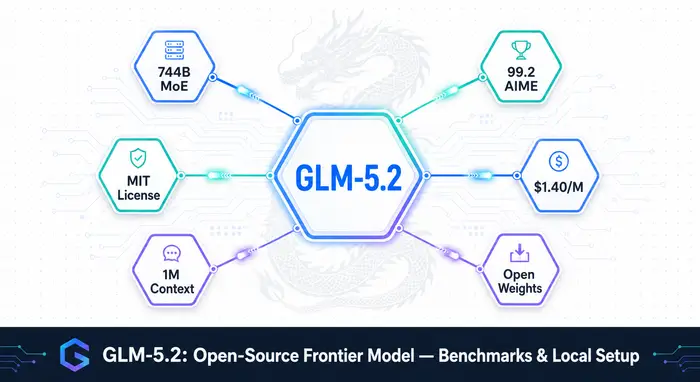
GLM-5.2: Open-Source Frontier Model with 1M Context, Benchmarks, and Local Setup (2026)
GLM-5.2 from Zhipu AI is a 744B open-weight model under MIT license. Benchmarks, pricing, local setup with vLLM and llama.cpp, and how it compares to Claude Opus 4.8 and GPT-5.5.
Models

Kimi K2.7 Code (2026): 1T MoE Coding Model, Benchmarks & Pricing
Kimi K2.7 Code: 1T open-source coding model from Moonshot AI, 32B active MoE, preserve_thinking mode, benchmarks vs GPT-5.5 and Claude Opus.
Models

MiniMax M3 Open Source (2026): 428B Model, 1M Context & Benchmarks
MiniMax M3: 428B open-weights model, 1M context via sparse attention, native multimodal input, competitive coding benchmarks, and 10x cheaper than GPT-5.5.
Models

US Government Blocks Anthropic Fable 5 & Mythos 5 (2026)
US government ban on Anthropic: Commerce Dept ordered suspension of Fable 5 & Mythos 5 on June 12, 2026. Full timeline of the 4-month feud.
Models