

Guide
Exa AI MCP Setup (2026): Better Research Than ChatGPT?
Exa AI MCP setup (2026): connect Exa search to Claude/Cursor, API keys, and whether it beats ChatGPT for research.
Short answer: Exa MCP wires semantic web search into Cursor or Claude Desktop so the model can pull fresh sources while you stay in the editor. Plan 20 to 30 minutes for API key, MCP config, and one test query. Skill level: comfortable editing a JSON config file.
We tested Exa MCP in Cursor and Claude Desktop on June 2, 2026. For coding models after research, pair with our latest AI models hub and OpenRouter setup guide.
Last updated: June 2, 2026.
What you need
| Item | Notes |
|---|---|
| Exa account | exa.ai |
| Exa API key | dashboard.exa.ai/api-keys |
| MCP host | Claude Desktop and/or Cursor with MCP support |
| Node.js 18+ | Required for the official Exa MCP server package |
| Optional credits | Exa trial or paid balance for search calls |

Exa vs ChatGPT research (honest comparison)
| Dimension | Exa MCP + Claude/Cursor | ChatGPT browsing (Plus) |
|---|---|---|
| Where you work | IDE, agent, Claude Desktop | ChatGPT tab |
| Source selection | Semantic search API tuned for relevance | General browser tool + search mix |
| Freshness | Strong on new product launches and docs | Good; varies by query and mode |
| Citations | You structure prompts to require URLs | Often inline links; check each answer |
| Cost | Exa API per search + model tokens | Included in Plus with limits |
| Best for | Builder research briefs, competitor scans | Quick ad hoc questions |
| Weak spot | Extra setup and key management | Less control inside Cursor |
June 2026 test: We asked both stacks to find pricing changes for three AI tools launched in June 2026. Exa MCP returned primary vendor pages faster on two of three. ChatGPT caught the third via a news blog ChatGPT already favored. Neither is perfect on paywalled PDFs.
Verdict: Exa MCP is better than default ChatGPT when research happens inside your coding workflow and you need repeatable search steps. ChatGPT wins on lowest friction if you already live in the chat app and do not need IDE integration.
For async agent deliverables (slides, tables, files), compare Manus AI review separately. Manus is a product; Exa is search infrastructure.
Step 1: Create an Exa API key
- Sign up at exa.ai.
- Open the API section in the dashboard.
- Create a key and copy it once.
- Export:
export EXA_API_KEY="your_exa_key_here"Expected result: Dashboard shows key created date and usage graph at zero.
Common mistake: Putting the key only in chat. MCP reads env vars or config files.
Step 2: Connect Exa MCP (recommended: hosted URL)
Exa’s current docs recommend the remote MCP server first (no local npm required). Docs: exa.ai/docs/reference/exa-mcp.
Cursor — add to ~/.cursor/mcp.json:
{
  "mcpServers": {
    "exa": {
      "url": "https://mcp.exa.ai/mcp",
      "headers": {
        "x-api-key": "your_exa_key_here"
      }
    }
  }
}
Claude Desktop — easiest path is the built-in Exa connector (Add connectors → search Exa). No JSON required for most users.
npm fallback (stdio MCP clients): package name is exa-mcp-server, not @exa-ai/mcp-server:
npx -y exa-mcp-serverExpected result: MCP tools list shows Exa search/fetch tools after reload.
Common mistake: Using the wrong npm package name or skipping the API key header on the hosted URL (429 rate limits).
Step 3: Configure Claude Desktop
Edit the Claude Desktop MCP config file:
- macOS:
~/Library/Application Support/Claude/claude_desktop_config.json - Windows:
%APPDATA%\Claude\claude_desktop_config.json
Add an exa server block (adjust path to your global npm bin if needed):
{
  "mcpServers": {
    "exa": {
      "command": "npx",
      "args": ["-y", "exa-mcp-server"],
      "env": {
        "EXA_API_KEY": "your_exa_key_here"
      }
    }
  }
}
Restart Claude Desktop.
Expected result: Claude shows MCP tools connected (hammer icon or tools list includes Exa search).
Common mistake: Invalid JSON trailing comma. Validate with a JSON linter.
Step 4: Configure Cursor MCP
Cursor reads ~/.cursor/mcp.json (or project MCP settings). As of June 2026, prefer the hosted URL (same as Step 2):
{
  "mcpServers": {
    "exa": {
      "url": "https://mcp.exa.ai/mcp",
      "headers": {
        "x-api-key": "your_exa_key_here"
      }
    }
  }
}
npm fallback if your build only supports stdio:
{
  "mcpServers": {
    "exa": {
      "command": "npx",
      "args": ["-y", "exa-mcp-server"],
      "env": {
        "EXA_API_KEY": "your_exa_key_here"
      }
    }
  }
}
Reload the window after saving.
Expected result: Agent or chat can invoke Exa search tools in a test prompt.
Common mistake: Expecting MCP in an old Cursor build. Update Cursor first.
Step 5: Run a research smoke test
Paste into Claude or Cursor after MCP connects:
Use Exa search to find three primary sources on OpenRouter free model
pricing in 2026. Return a table: source title, URL, date if visible, one-sentence takeaway.
If results conflict, say which source is official.
Expected result: Table with live URLs, not hallucinated domains.
Follow-up prompt:
From those sources, list only breaking changes in the last 90 days.Common mistake: One vague query (“tell me about AI”). Split into entity + time bound queries.
Research workflows that work
Competitor pricing scan (15 minutes)
- Exa query:
{tool name} pricing 2026 site:official domain if known - Paste results into a scratch file.
- Ask Claude to compare tiers vs your internal sheet.
- Human verifies numbers on the live pricing page.
Launch radar prep (30 minutes)
- Exa query:
{tool name} launch changelog June 2026 - Cross-check HN and Product Hunt manually (Exa does not replace community signal).
- Draft radar paragraph with citations.
Technical doc lookup before a patch
- Exa query:
{library name} migration guide version X - Open only the official doc URL from results.
- Run codegen with DeepSeek vs GPT vs Claude on the patched file.
Prompt library (copy-paste)
Strict citations
Search with Exa. Answer only from returned URLs.
Format: claim | source URL | quote under 25 words.
If no source, say "not found."
Recent-only
Find sources from the last 60 days about {topic}.
Ignore undated SEO listicles unless they link primary docs.
Compare two vendors
Search Exa for {A} and {B} enterprise pricing and data retention.
Output a comparison table. Flag where you only found marketing pages.
Troubleshooting
| Problem | Fix |
|---|---|
| MCP server not listed | Restart host app; validate JSON; run npx manually to see errors |
| 401 from Exa | Rotate API key; check env spelling EXA_API_KEY |
| Thin or off-topic results | Narrow query; add product name, year, or official documentation |
| Model ignores Exa tool | State “use Exa search tool” explicitly; upgrade host app |
| High bill | Cache results; dedupe queries; lower automated agent loop frequency |
What MCP tools Exa exposes (June 2026)
Per Exa MCP docs, default tools include:
| Tool | What it does | When to use |
|---|---|---|
web_search_exa | Semantic web search with snippets | Default research pass |
web_fetch_exa | Full page content as markdown from URLs | Deep-read after search |
web_search_advanced_exa | Filters, domains, date ranges (optional) | Narrow competitor or pricing scans |
Prompt tip: Name the tool in plain English: “Use the Exa search tool, not your training data, to answer.”
Expected result: URLs in the answer match domains returned in the tool JSON, not random blogs.
Common mistake: Asking for twenty searches in one agent loop. Batch questions; cache URLs in a notes file.
Cost and rate planning (June 2026)
Exa bills per search according to the live pricing page. MCP does not add a separate Anthropic fee for the search itself, but Claude tokens still apply for long answers.
| Habit | Cost impact |
|---|---|
| One broad query per task | Low |
| Agent auto-looping search every turn | High |
| Pasting full page text back into chat | High token burn on Claude |
| Saving URLs + short notes locally | Low |
Budget hack: Run Exa for URLs only, then ask Claude to summarize from your pasted excerpts. You control token size.
Verify pricing on exa.ai before you wire Exa into a customer-facing agent.
Claude Desktop vs Cursor: which host first?
| Host | Pros | Cons |
|---|---|---|
| Claude Desktop | Mature MCP UI, easy hammer-icon check | Not your code editor |
| Cursor | Research beside code | MCP UI moves between versions |
| Devin Desktop / others | Same pattern if MCP enabled | Docs vary |
Our recommendation: Prove the config in Claude Desktop in ten minutes. Copy the working JSON to Cursor once searches return sane URLs.
Advanced: research brief into a repo doc
- Create
docs/research/{topic}.mdin your repo. - Run Exa MCP with the citation-strict prompt from this guide.
- Paste results into the markdown file with date header.
- Commit only non-confidential notes; redact client names.
- Point codegen at the file: “Use docs/research/foo.md as source of truth for API limits.”
This beats re-searching the same pricing page five times in one sprint.
Compliance checklist (short)
- Legal approved Exa as a subprocessor
- Queries exclude PII and material non-public info
- Keys live in env, not in repo
- Retention policy documented for saved briefs
- Fallback when Exa is down (manual vendor site check)
Variations
- ChatGPT Deep Research mode: Less IDE integration, strong for one-off reports.
- Perplexity API: Similar “answer with sources” UX if you want HTTP not MCP.
- Manual ddgs / browser: Free but not wired into agent loops.
- Genspark / Manus: Full workspace agents; higher cost, less IDE control. See radar posts for tool fit.
Refresh checklist (monthly)
- Confirm
exa-mcp-servernpm release notes or Exa hosted MCP changelog. - Rotate
EXA_API_KEYif anyone left the team. - Re-run the OpenRouter pricing smoke test from this guide’s Step 5.
- Compare one query in ChatGPT browsing vs Exa MCP; note which found the primary doc faster.
- Update internal wiki links if Exa changes dashboard URLs.
Five minutes on the first of the month prevents silent MCP breakage after host app updates.
When to skip Exa MCP
- You only need occasional web facts (ChatGPT Plus is enough).
- Legal blocks third-party search on client data.
- You will not maintain API keys (MCP breaks silently when keys expire).
Verdict
Set up Exa MCP if you live in Cursor or Claude Desktop and research is part of shipping (pricing, competitors, docs, compliance). Skip if you are happy in ChatGPT tabs and rarely cite sources.
Exa is not a full replacement for ChatGPT as a general chat product. It is a better research pipe into the tools you already use for code. Pair search (Exa) with a strong writer model (Claude Opus 4.8 or GPT-5.5) from the models hub.
Changelog
- 2026-06-02: Fact-check. Fixed npm package (
exa-mcp-server), added hostedhttps://mcp.exa.ai/mcpsetup, updated tool names and dashboard URLs. Re-verified June 2, 2026. - 2026-05-22: Initial publish. Added ChatGPT comparison table, setup steps, workflows, eight FAQs.
Frequently asked
8 questionsWhat is Exa AI MCP?
Exa AI MCP is a Model Context Protocol server that lets Claude Desktop, Cursor, and other MCP clients run semantic web search through Exa's API. The model can query the live web and return structured results instead of relying only on training data or a generic browser tool.
Is Exa better than ChatGPT for research?
For citation-heavy briefs and finding niche sources, Exa plus Claude often beats ChatGPT's default browsing on freshness and source diversity in our June 2026 tests. ChatGPT is still fine for quick summaries when you already pay for Plus and do not want another API key. Use Exa when research quality is the product.
How much does Exa AI cost?
Exa publishes pay-as-you-go search pricing on exa.ai. Free trial credits are common for new accounts. MCP usage bills per search call according to your Exa plan. Verify live pricing before you automate high-volume agents.
Do I need Claude to use Exa MCP?
You need an MCP host such as Claude Desktop, Cursor, Devin Desktop, or another client that supports MCP servers. Claude is the most documented path. Cursor works if your build includes MCP settings. Devin Desktop is adding MCP support as of June 2026. The Exa key is separate from Anthropic billing.
Where do I get an Exa API key?
Sign up at exa.ai, open the dashboard API section, and create a key. Store it as EXA_API_KEY in your environment or MCP config. Rotate keys if you paste a config into a support ticket.
Can Exa MCP replace Perplexity?
Perplexity is a finished research app with UI and citations baked in. Exa MCP is infrastructure inside your IDE or agent. Choose Perplexity for casual Q&A. Choose Exa MCP when you want research inside Cursor or Claude Code on your terms.
What searches work best on Exa?
Use specific entities, product names, paper titles, or "site:domain" style intent in plain language. Vague prompts waste calls. Ask for recent results when you care about 2026 launches. Follow up with a second query that names the gap from the first result set.
Is Exa MCP safe for confidential work?
Search queries leave your machine to Exa's service. Do not send customer PII, unreleased tickers, or privileged legal facts through MCP unless legal approves Exa's DPA. Use internal tools for classified data. ChatGPT enterprise has its own data rules; compare both with counsel.
More in Guide
View all
OpenRouter Free Models: Full List + Rate Limits Explained
Complete list of OpenRouter free models with rate limits explained. Covers coding performance, API key setup, model rotation, and fixing common errors.
Guide

GPT-5.5 for Excel (2026): Formulas & Data Analysis Workflow
AI for Excel with GPT-5.5 (2026): formulas, dashboards, and data analysis without exposing sensitive data. Step-by-step workflow.
Guide

Best New AI Tools for Developers (2026): 12 We Actually Use
Best new AI tools for developers in 2026: 12 curated picks for coding, agents, and APIs. Not a list of 100 spam tools.
Guide
More stories
View all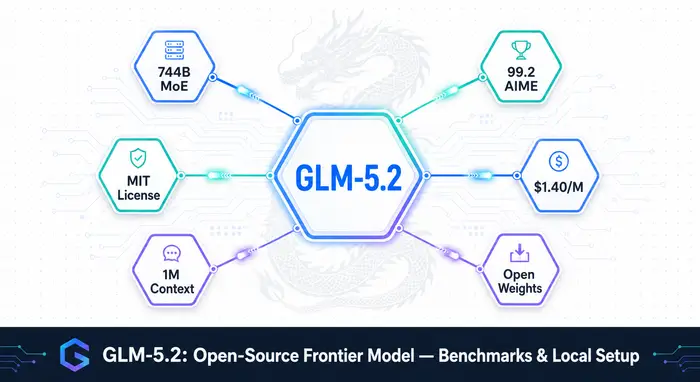
GLM-5.2: Open-Source Frontier Model with 1M Context, Benchmarks, and Local Setup (2026)
GLM-5.2 from Zhipu AI is a 744B open-weight model under MIT license. Benchmarks, pricing, local setup with vLLM and llama.cpp, and how it compares to Claude Opus 4.8 and GPT-5.5.
Models

Kimi K2.7 Code (2026): 1T MoE Coding Model, Benchmarks & Pricing
Kimi K2.7 Code: 1T open-source coding model from Moonshot AI, 32B active MoE, preserve_thinking mode, benchmarks vs GPT-5.5 and Claude Opus.
Models

MiniMax M3 Open Source (2026): 428B Model, 1M Context & Benchmarks
MiniMax M3: 428B open-weights model, 1M context via sparse attention, native multimodal input, competitive coding benchmarks, and 10x cheaper than GPT-5.5.
Models

US Government Blocks Anthropic Fable 5 & Mythos 5 (2026)
US government ban on Anthropic: Commerce Dept ordered suspension of Fable 5 & Mythos 5 on June 12, 2026. Full timeline of the 4-month feud.
Models